Copy or download the code
On this page you copy the Arduino code made from your blocks to the clipboard,
or download it as an .ino file. You upload the code to the board with Arduino IDE.
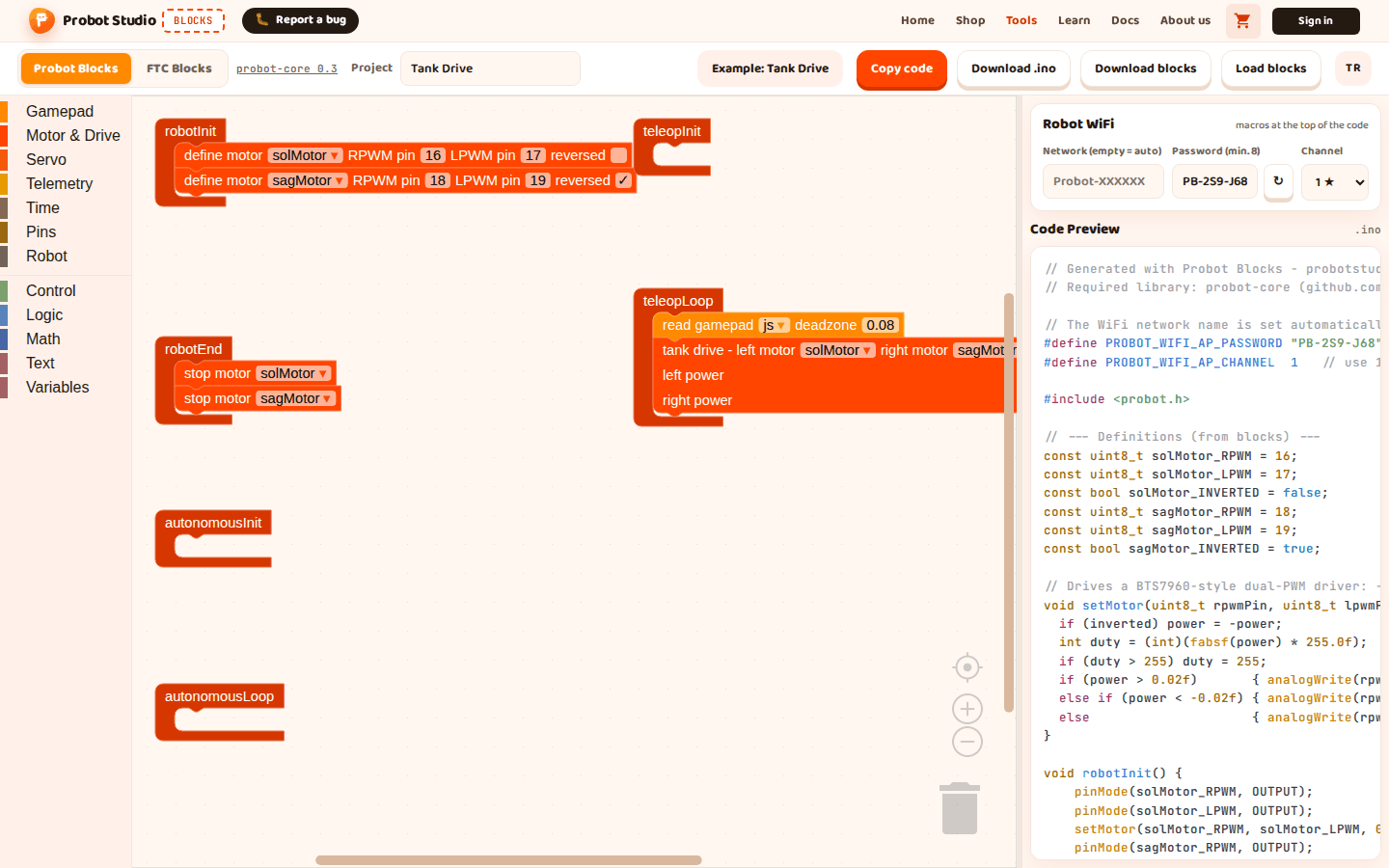
Before you start
- Blocks is open and the Probot Blocks tab is selected.
- There is a program in the workspace. If not, open Pick an example > Tank Drive.
- You typed the Robot WiFi password yourself, and it has at least 8 characters. With a shorter password, the code will not compile. See Set up the robot WiFi.
Download the code as an .ino file
- In the toolbar, type a project name into the Project box, for example
Tank Drive. The file name is made from this name. - In the toolbar, press Download .ino. A ".ino file downloaded." notification appears.
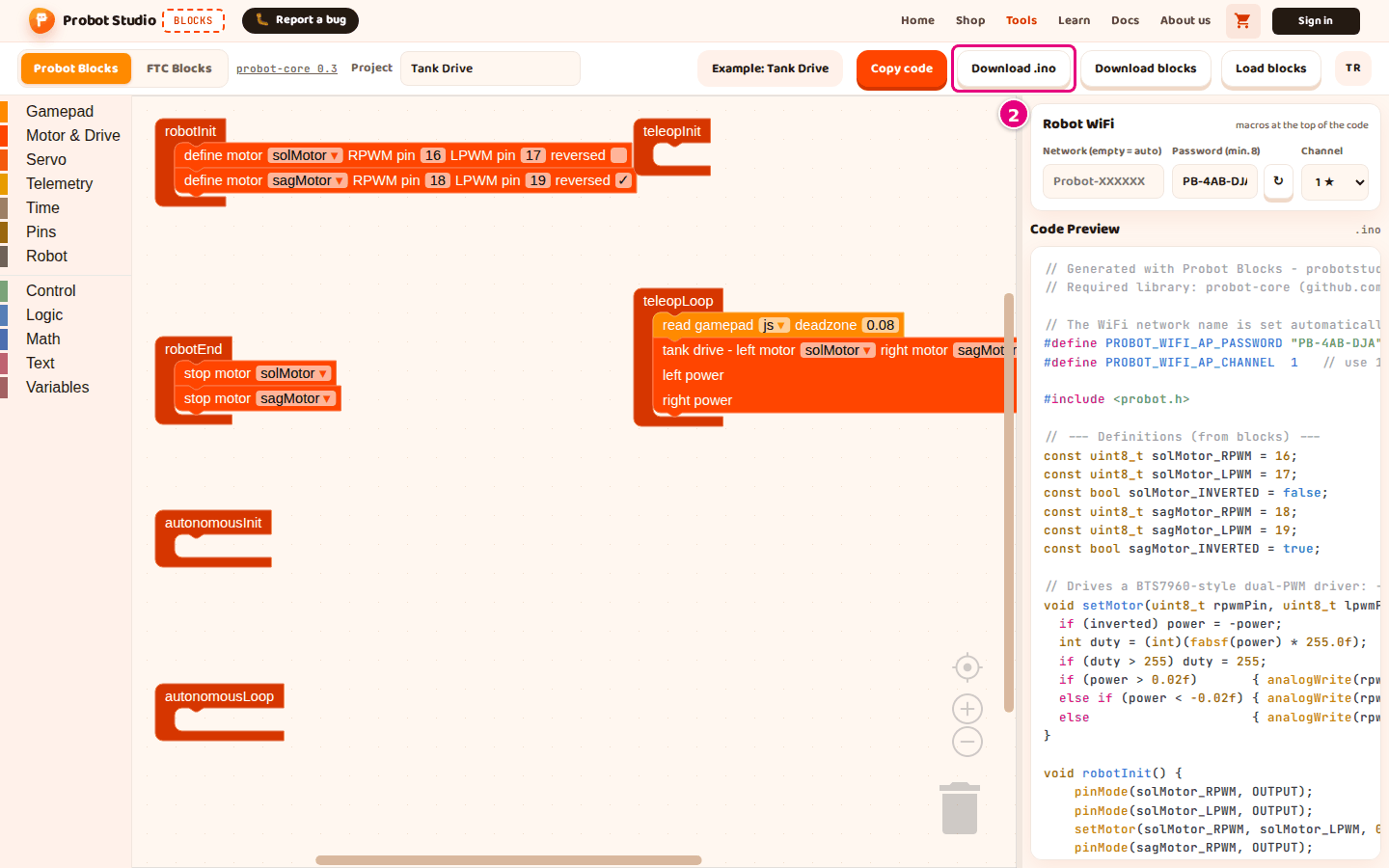
- If the browser asks where to save the file, press Save.
Result: Your Downloads folder has a <project-name>.ino file, for example tank-drive.ino. The name is
changed to lower case, Turkish letters become plain letters, and characters that are not letters or digits
become -. A capital İ becomes i- (İleri → i-leri.ino). If the Project box is empty, the file is
probot-projesi.ino.
Copy the code to the clipboard
Tip
If the browser does not allow access to the clipboard, you see "Copy failed." In that case, use Download .ino.
- In the toolbar, press Copy code. A "Code copied to the clipboard." notification appears.
- In Arduino IDE, open a new sketch.
- Delete the text that is already in the sketch. Make sure no
setup()orloop()is left in it. - Paste the code with Ctrl+V. On a Mac, use Cmd+V.
Result: The sketch starts with the line // Generated with Probot Blocks - probotstudio.com/blocks and
ends with the void teleopLoop() function.
What is in the code
The code in Code Preview has these parts, from top to bottom:
- A header comment and the name of the library it needs (probot-core).
- WiFi settings: the
#define PROBOT_WIFI_AP_...lines. If the Network (empty = auto) box is empty, a comment takes the place of the network name line. - The
#include <probot.h>line. - Definitions: motor and servo pins, variables, helper functions.
- Six lifecycle functions:
robotInit(),robotEnd(),autonomousInit(),autonomousLoop(),teleopInit(),teleopLoop().
If a lifecycle block is empty, its function contains the comment // No blocks added yet. Blocks does not write setup() or loop().
The library provides them.
The probot-core 0.3 text in the toolbar shows which library version the code is generated for.
Press it to open the Probot Core documentation. That documentation describes a newer version, and it
mentions functions that Blocks does not generate, such as autonomousStop().