Create and use a variable
On this page you will create a variable to store a value, give it a value and use that value in another block. Example: storing the moment autonomous starts.
Before you start
- Blocks is open and the Probot Blocks tab is selected.
- To see a variable in a ready-made project, open Pick an example > Autonomous: Drive Forward and Stop. This example uses a variable named baslangic.
Create a variable
- In the block list, select the Variables category.
- In the block panel, press Create variable....
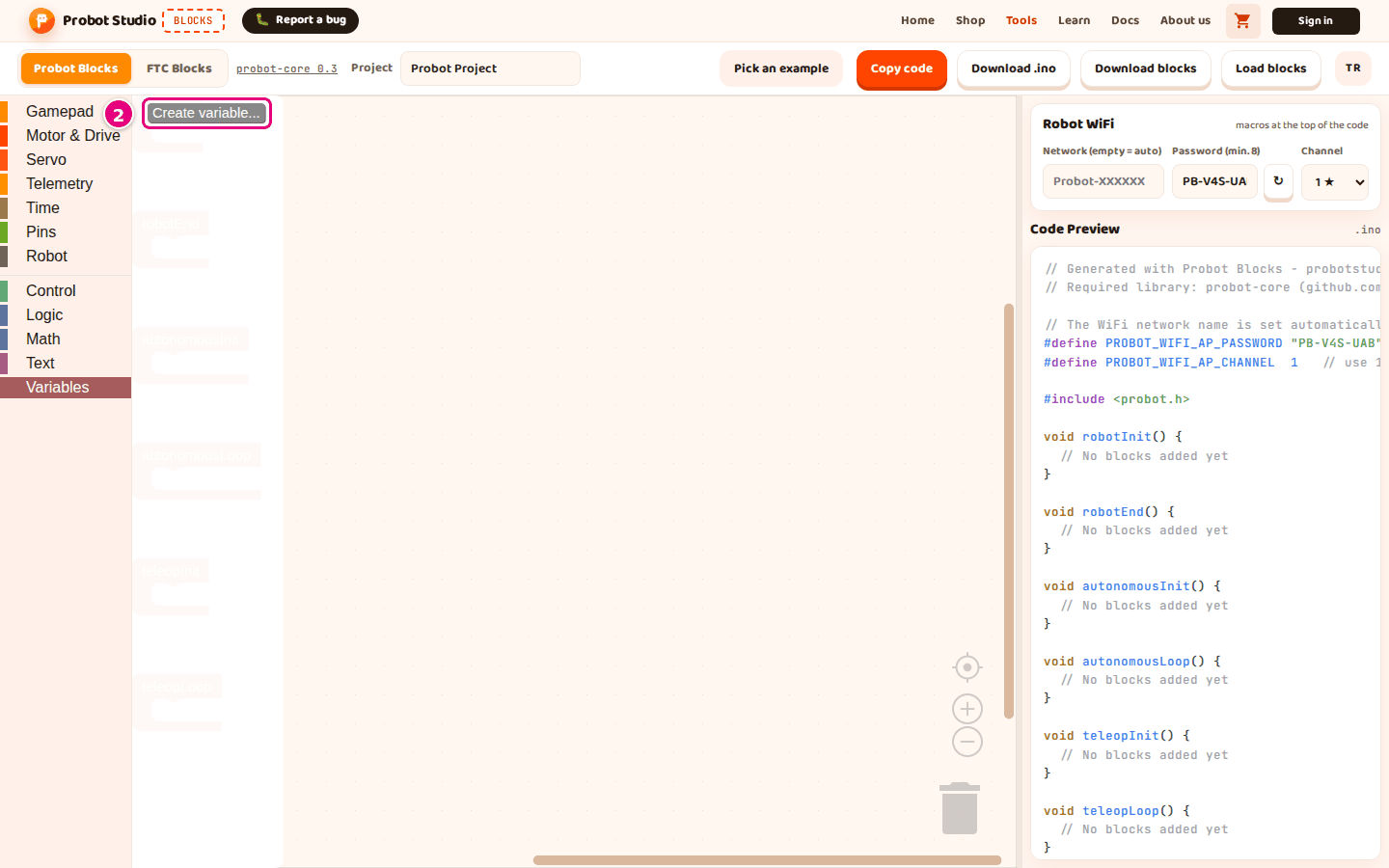
- In the "New variable name:" box, type
baslangic.
- In the "New variable name:" box, type
- Press OK.
Result: The block panel shows the set baslangic to, change baslangic by and baslangic blocks.
Write the name with English letters. Do not use Turkish letters or spaces, and do not start the name with a digit. You cannot create a second variable with the same name: the warning "A variable named 'baslangic' already exists." appears.
Names that break these rules are changed in the code: hız becomes h_C4_B1z, a space becomes
_, and a name that starts with a digit gets my_ in front. You will not recognize the name in
the code. Some reserved names, such as name and status, also get a 2 at the end.
Give the variable a value
- From Variables, drag the set ... to ... block into autonomousInit.
- In the block's dropdown, select baslangic.
- From Time, plug the elapsed time (ms) block into the slot of the set ... to ... block.
Result: When autonomous starts, the time at that moment is stored in baslangic. In Code
Preview, under "// --- Definitions (from blocks) ---", the line
double baslangic = 0; // Blockly variable appears. Inside void autonomousInit(), the line
baslangic = millis(); appears.
Use the variable's value
Only blocks inside the lifecycle blocks (such as robotInit and autonomousLoop) go into the code. So plug the block that reads the variable into a block inside a lifecycle block.
- From Telemetry, drag the write value to telemetry block into autonomousLoop. The
block's label box shows
speed. You can change it if you like. - From Math, plug the + block into the value slot of the write value to telemetry
block. Both slots of the + block show
1. - From Variables, plug the baslangic block into the first slot of the + block. The
second slot keeps
1. - To increase the value, drag the change baslangic by block from Variables into autonomousInit, under the set ... to ... block.
- In the slot of the change ... by block, type
5. To decrease the value, type a negative number, for example-5.
Result: In Code Preview, inside void autonomousLoop(), the line
probot::printf("speed: %.2f\n", (double)(baslangic + 1)); appears. Inside
void autonomousInit(), the line baslangic += 5; appears.
Rename the variable
- On a block that uses the variable, press the
baslangic ▾dropdown. - Select Rename variable....
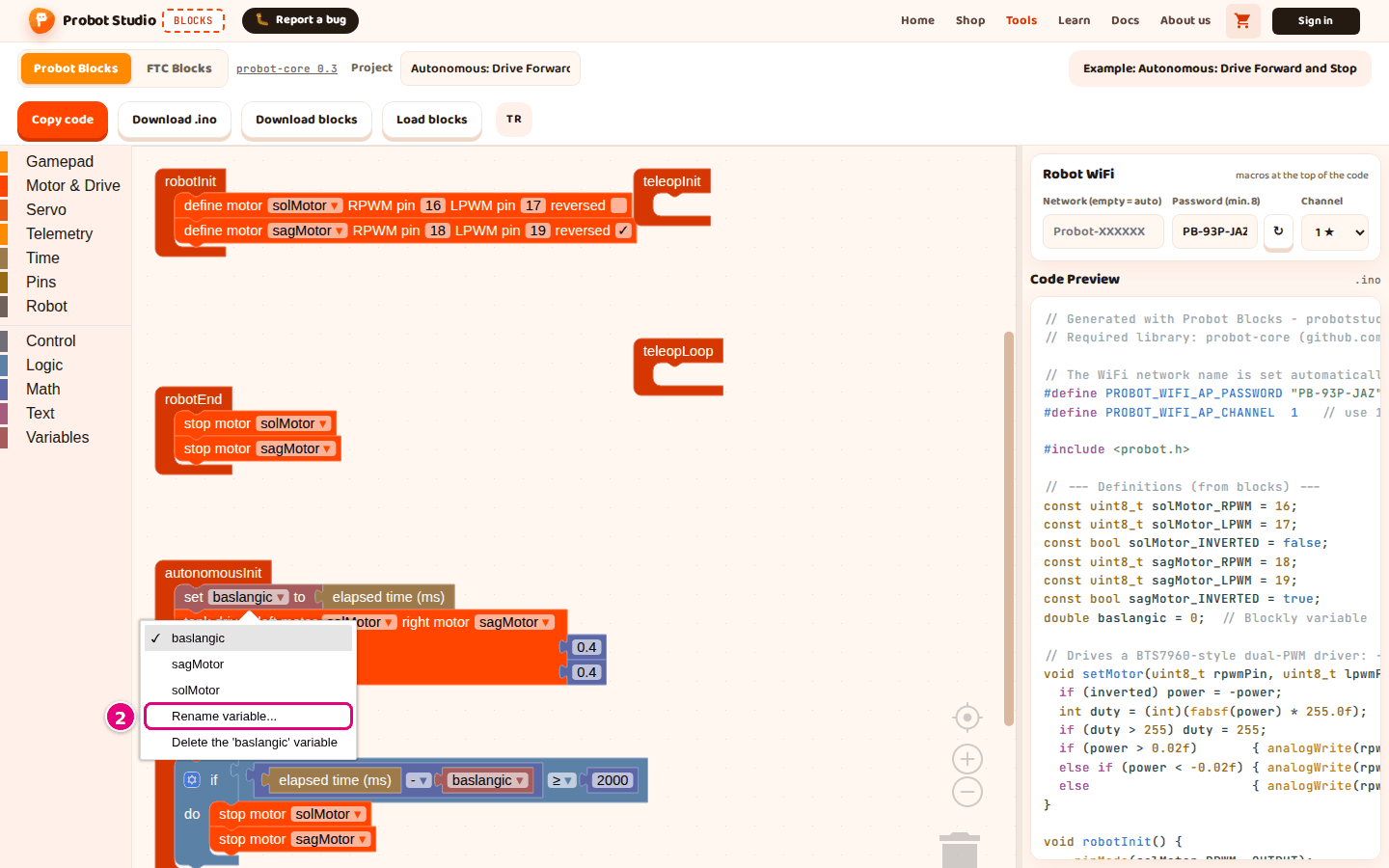
- In the "Rename all 'baslangic' variables to:" box, type the new name.
- Press OK.
Result: Every block that uses the variable shows the new name.
Delete the variable
Warning
Deleting a variable also deletes the blocks that use it.
- On a block that uses the variable, press the variable dropdown.
- Select Delete the 'baslangic' variable.
- If the variable is used in more than one place, press OK in the "Delete ... uses of the '...' variable?" message.
Result: The variable and the blocks that use it are deleted. To undo, press Ctrl+Z.
Motor, servo and gamepad names
Names such as solMotor, sagMotor, kolServo and js are variables too. That is why they appear in the Variables block panel. Do not use set ... to ... or change ... by with them: the code then gets a number variable that means nothing. Select these names only from the dropdowns on the motor, servo and gamepad blocks.