Start with an FTC example
On this page you open one of the eight ready-made programs in FTC Blocks. Each example comes with its own device list. The workspace and the Robot configuration fill in to match the example.
Before you start
- Blocks is open. See First 10 minutes, section "Open Blocks".
Open an example
Warning
An example replaces the program in the FTC workspace without asking. The Robot configuration
also changes to the example's devices (for example left_drive, right_drive in
Tank Chassis TeleOp). To keep your program, press Download .blk first.
- In the toolbar, select the FTC Blocks tab.
- In the toolbar, press Pick an example.
- In the "FTC examples" window, select an example card, for example Tank Chassis TeleOp.
A "Tank Chassis TeleOp example loaded." notification appears in the corner.
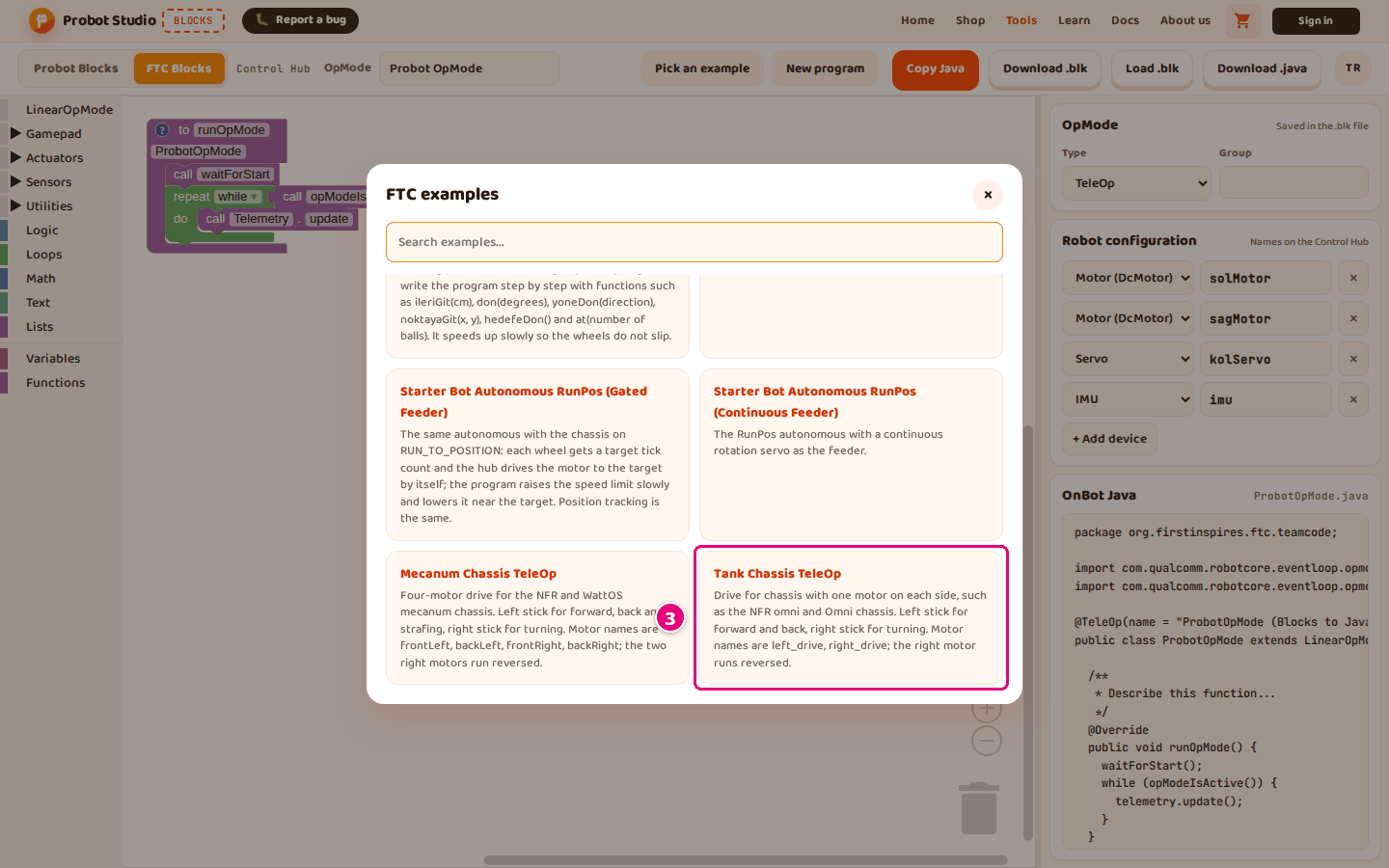
Result: The program appears in the workspace. The OpMode box shows the example's name (for example "Tank Sasi TeleOp"). The Robot configuration shows only the devices the example uses.
Type a word in the Search examples... box in the window. The list then shows only the examples that have that word in their name or description. To close the window, press × or Esc.
Match the device names to your robot
The device names in the example must be the same as the ones in your Control Hub configuration.
- In the side panel, read the names in Robot configuration (for example
left_drive,right_drive). - Check that the robot configuration on the Control Hub has the same names.
- If a name is different, change it in Blocks. See Set up the robot configuration.
Result: The program finds the devices on the Control Hub by their names.
What each example does
| Example | What it does |
|---|---|
| Starter Bot (Gated Feeder) | The Starter Bot TeleOp. The feeder opens like a gate with a position servo. POV drive. Hold LT for intake and RT for the shooter. Y pushes the feeder. Hold B to clear a jam. D-Pad right and left pick a setting, up and down raise or lower its value. |
| Starter Bot (Continuous Feeder) | The same program; the feeder is a continuous rotation servo. |
| Starter Bot Autonomous (Gated Feeder) | An autonomous that tracks its position with the wheel encoders. It is written with functions such as ileriGit, don, noktayaGit and at. |
| Starter Bot Autonomous (Continuous Feeder) | The same autonomous; the feeder is a continuous rotation servo. |
| Starter Bot Autonomous RunPos (Gated Feeder) | The same autonomous; the chassis is driven with RUN_TO_POSITION. |
| Starter Bot Autonomous RunPos (Continuous Feeder) | The RunPos autonomous; the feeder is a continuous rotation servo. |
| Mecanum Chassis TeleOp | Drive for a four-motor chassis. Left stick for forward, back and strafing; right stick for turning. Motor names are frontLeft, backLeft, frontRight, backRight; the two right motors run reversed. |
| Tank Chassis TeleOp | Drive for a chassis with one motor on each side. Left stick for forward and back, right stick for turning. Motor names are left_drive, right_drive; the right motor runs reversed. |
The window shows the full description on each example card.
Having trouble?
- "Could not load the example because the connection dropped. Pick it again." appears: Check your internet connection and select the example again.
- "No matching examples." appears: No example has the word from the Search examples... box in its name or description. Clear the box.
- Picking an example deleted my program: An example replaces the open program without asking. Next time, press Download .blk before you select an example. See Save the program, open it and get the Java code.